Restaurant work, in detail

Daily management & finance

Give the operating day a plan, an accountable handoff and a traceable close.

Choose the business date, source connections, account mappings, operating standards and authorized review responsibilities.

Find the work you need to do.

HE POS

Cash & business-day close

Full Platform; also HE POS package

Give the next reviewer a traceable close.

Count drawers, review server cashout, reconcile tenders and tips, and explain exceptions before closing the business day. Authorized recovery retains the history.

Before you use it: Define drawers, the business date, review responsibility and close permissions.

Explore HE POS in detail →
HE Ops

Daily planner & Compass

Full Platform; also HE Schedule or HE POS package

Turn the shift priorities into a working plan.

Review the manager desk, daily plan, Compass, goals and forecasts. Keep the day’s priorities and saved operating records together.

Before you use it: Choose the restaurant, business date and manager responsibilities.

Explore HE Ops in detail →

HE Ops

Manager handoffs & goals

Full Platform; also HE Schedule or HE POS package

Leave the next manager a useful handoff.

Record logs, daily reviews and weekly priorities. Assign work and due dates, then review what was completed and what still needs attention.

Before you use it: Agree who owns each action and who reviews completion; saving a note does not complete its follow-up.

Explore HE Ops in detail →

HE Ops

Operational & culinary audits

Full Platform; also HE Schedule or HE POS package

Record the check and follow through on the finding.

Complete configured audits and culinary checks, review scores and history, and track the corrective work the finding requires.

Before you use it: Use the standards appropriate to your restaurant. Audit records support your process; they do not certify regulatory compliance.

Explore HE Ops in detail →

HE Ops

Incidents & coaching

Full Platform; also HE Schedule or HE POS package

Keep the context with the response.

Record incidents, relevant photos and updates. Review coaching, warnings and acknowledgments through the authorized management workflow.

Before you use it: Protect staff records and assign appropriate reviewers. People retain employment and disciplinary decisions.

Explore HE Ops in detail →

HE Ops

Staff, sales & floor context

Full Platform; also HE Schedule or HE POS package

See the operating picture before following up.

Review available staff, clock, sales, open-check and floor context. Open the owning app when a source record needs correction.

Before you use it: Enable the supported sources and inspect their freshness. A context view does not grant write access to another app.

Explore HE Ops in detail →

HE Ops

Manuals & supported assistance

Full Platform; also HE Schedule or HE POS package

Put guidance close to the task.

Use the available operating manuals, settings, reports and assistance workspaces to support a reviewed next step.

Before you use it: Confirm source availability and any provider requirements. Connected sensor views do not imply support for every thermometer or device.

Explore HE Ops in detail →

HE Finance

Source records

Full Platform; also HE Schedule or HE POS package

Start with the records behind the number.

Review the business date, restaurant, location and available sales, tender, cash, tip and labor records. Keep missing or stale information visible.

Before you use it: Configure the required source connections and confirm their scope and refresh status.

Explore HE Finance in detail →

HE Finance

Accounts payable, bills & aging

Full Platform; also HE Schedule or HE POS package

Organize what is owed and what needs review.

Review vendors, received-not-billed items, invoice attachments, supplier bills, approval status, aging and payment-batch preparation. Keep bill review separate from paying the supplier.

Before you use it: Prepare vendor records, account mappings and the restaurant’s approval process.

Explore HE Finance in detail →

HE Finance

Journals & account mappings

Full Platform; also HE Schedule or HE POS package

Review accounting preparation with its source.

Use account mappings and posting rules to prepare and review journal drafts and batches. Authorized posting, reversals and adjustments retain their source and respect closed-period controls.

Before you use it: Have the appropriate reviewer confirm mappings and journal treatment. A draft is distinct from a posted entry.

Explore HE Finance in detail →

HE Finance

Financial reporting

Full Platform; also HE Schedule or HE POS package

Read the business date in context.

Review operating reports, profit and loss, prime cost and available financial reports with their location, period and source coverage. Prepare print or CSV exports with an audit trail. Follow discrepancies back to the records that need attention.

Before you use it: Confirm dates, report scope and source completeness before relying on a total.

Explore HE Finance in detail →

HE Finance

Financial reconciliation

Full Platform; also HE Schedule or HE POS package

Explain cash, card, AP and payroll differences.

Compare source totals, close records and reconciliation reports. Assign discrepancies to a reviewer and retain their explanation and supporting records.

Before you use it: Define the comparison sources and reviewer responsibilities; unknown records must remain unknown.

Explore HE Finance in detail →

HE Finance

Exceptions & review queues

Full Platform; also HE Schedule or HE POS package

Give unresolved work a visible owner.

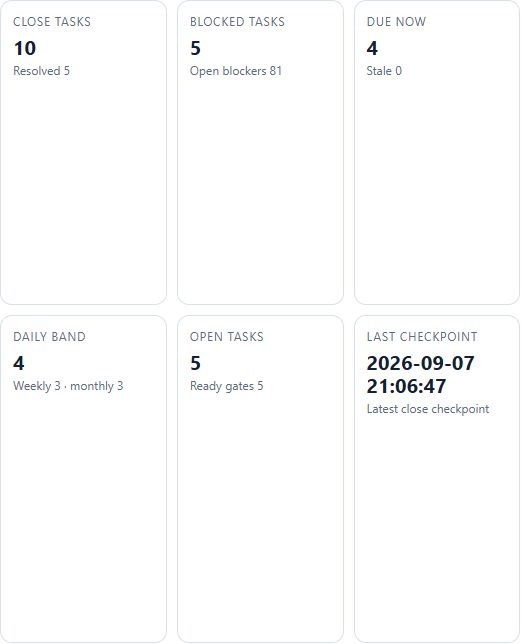
Inspect missing records, variances and blocked close tasks. Retain the reason and review history as work is resolved or carried forward.

Before you use it: Confirm who may resolve, approve or reopen each class of exception.

Explore HE Finance in detail →

HE Finance

Period close & export preparation

Full Platform; also HE Schedule or HE POS package

Prepare a close with a traceable review history.

Review period readiness, close checklists, proof bundles and accounting export packets. Keep incomplete or blocked work visible before sign-off.

Before you use it: Confirm the period and source revisions. An export-ready packet does not prove downstream acceptance or posting.

Explore HE Finance in detail →

HE Finance

Owner & accountant review

Full Platform; also HE Schedule or HE POS package

Give leadership the context behind the close.

Bring the prepared reports, unresolved exceptions and supporting records into an authorized review. Record approval and follow-up through the configured workflow.

Before you use it: Assign appropriate access and a review process with your accountant. Financial decisions remain with authorized people.

Explore HE Finance in detail →

Inspect the actual software.

Demo restaurant. Open a capture at full size; its caption identifies the task and any material limitation.

The next handoff

See what carries forward.

Follow the source, the receiving app and the person responsible for the next decision.

Explore the connected journey →

Choose the coverage that fits.

Full Platform; also HE Schedule or HE POS package · Full Platform; also HE Schedule or HE POS package.

Compare packages and current availability →
Next step

One restaurant account. The whole operating day.

The Full Platform brings eight base applications and onboarding into one restaurant account. Apply to become a Launch Partner or book a walkthrough of the workflow you want to improve first.

Keep serving through an outage Supported POS and HETable workflows continue on the installed Hybrid Windows computer. Separate tablets and connected services need internet.
Roll out one workflow at a time Start with the clearest operational need, prove it with the team, and expand without creating another account system.
One sign-in for approved apps Each person sees only the restaurants, locations, and HospiEdge apps their account is allowed to open.