HospiEdge POS

Restaurant POS for live service, KDS routing, and Server Checkout truth

HospiEdge POS keeps the shift under control from open checks through kitchen and bar routing, payment flow, Server Checkout, and payroll-ready closeout so service, tender, cash, and business-day truth do not split across separate tools.

Shift job Keep order entry, routing, payment control, and closeout review inside one live-service operating lane instead of treating POS as a simple register.
Best fit Start here when rushes break down around open checks, kitchen or bar handoff, void and refire control, checkout ownership, or closeout trust.
Commercial path Review live-service proof first, then move to Pricing or Contact only after the service-control lane already fits the restaurant.

Use POS when service execution, production routing, payments, and closeout truth are the first systems to tighten. Move to Contact only when launch planning or rollout ownership becomes the next job.

Ready now: The HospiEdge site and POS page reflect a strong live build, a real working route, and a product that is ready to use now.

Choose POS when service execution and closeout truth are the first broken systems

Use the first screen on this page to decide whether the restaurant mainly needs stronger check control, kitchen and bar routing, payment and tender discipline, and Server Checkout truth, or whether another HospiEdge product should lead the buying path.

Start here when

Rushes break down around open checks, check ownership changes, bar pickup visibility, void or refire control, cash handling, or closeout review and the team needs one tighter service-control lane.

Start somewhere else when

HETable should lead when reservations, waitlist pacing, and seating are the urgent issue; Scheduling should lead when labor planning, timekeeping, and payroll review are the real weekly drag; Operations should lead when audits, incidents, and manager follow-through are still the biggest control gap.

Next move after fit is clear

Stay on this page for workflow proof, then move into Pricing, Contact, or the live POS app once the service-control lane already makes sense.

POS service-flow diagram

See the shift flow from open checks to routing, closeout, and reporting.

This visual map makes the POS page feel operational: live service, kitchen and bar routing, payment control, and reporting all show up in one clear service flow.

  • The diagram keeps Server Checks, KDS and BAR routing, and closeout in one operating flow.
  • It reinforces why this page is different from lighter register-first tools.
  • The next click stays practical: pricing when the fit is clear, or engineering when technical review and implementation depth matter next.

POS at a glance

Start here when the evaluation is about how the shift runs: order entry, kitchen and bar routing, manager controls, tender and cash control, checkout discipline, and what happens after the sale. A good review should leave the team with named ownership for service, production, and closeout checks before the conversation moves into Pricing, launch review, or broader guide context.

Best for

Restaurants that need POS to run the shift, not just take the payment: service flow, production routing, Server Checkout, and operational follow-through stay inside one system. Buyers should review it against a full shift, not a two-minute order demo, and they should assign who owns each checkpoint before go-live.

Buy when

Checks, payments, kitchen routing, bar handoff, Server Checkout, payroll-ready closeout, staged Menu AI setup with review-before-commit, inventory depletion, or purchasing visibility are urgent priorities. The buying trigger is usually pain during rushes, closeout, or menu setup errors—not just payment processing.

Next logical page

Move to Pricing when the buying route is the next question, Contact when launch ownership or rollout planning needs a named start, or the integrated platform guide when the question broadens into connected package fit. Keep HETable in the review only when front-door pacing and floor-linked service flow truly belong in the same launch.

What HospiEdge POS should prove in a live review

This section should answer whether the product can run service, route production, close the day correctly, and support the setup and inventory work that keeps the operation stable afterward. Buyers should leave with a demo script, ownership map, and first-week review targets.

Register and Server Checks

Run open checks, save and resume orders, shared-terminal sign-in, server ownership, order recall/history, and service-driven check flow with item-level actions. A real demo should show opening a check, transferring control, recalling it, and recovering cleanly on another terminal.

Kitchen, expo, and bar routing

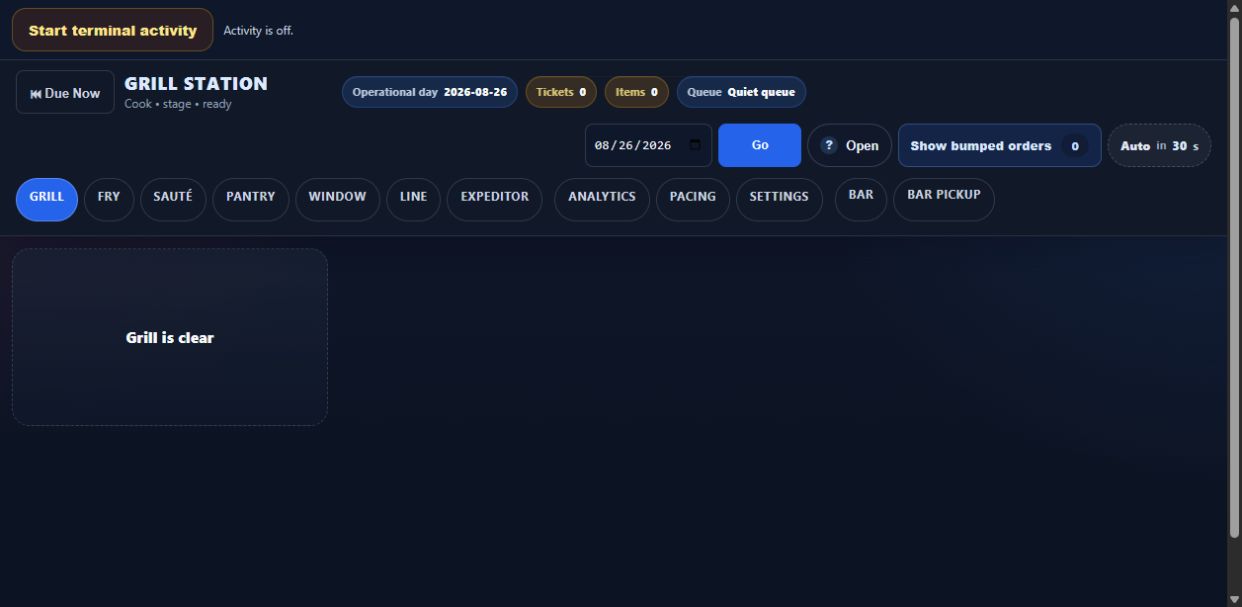
Support KDS station screens, line and expo views, BAR station workflow, bar routing, BAR-ready pickup, KDS recipe popups, pacing support, reroute controls, and resend/refire handling. Buyers should verify which role can reroute, refire, mark pickup-ready, and see recipe detail under pressure.

Payments and protected actions

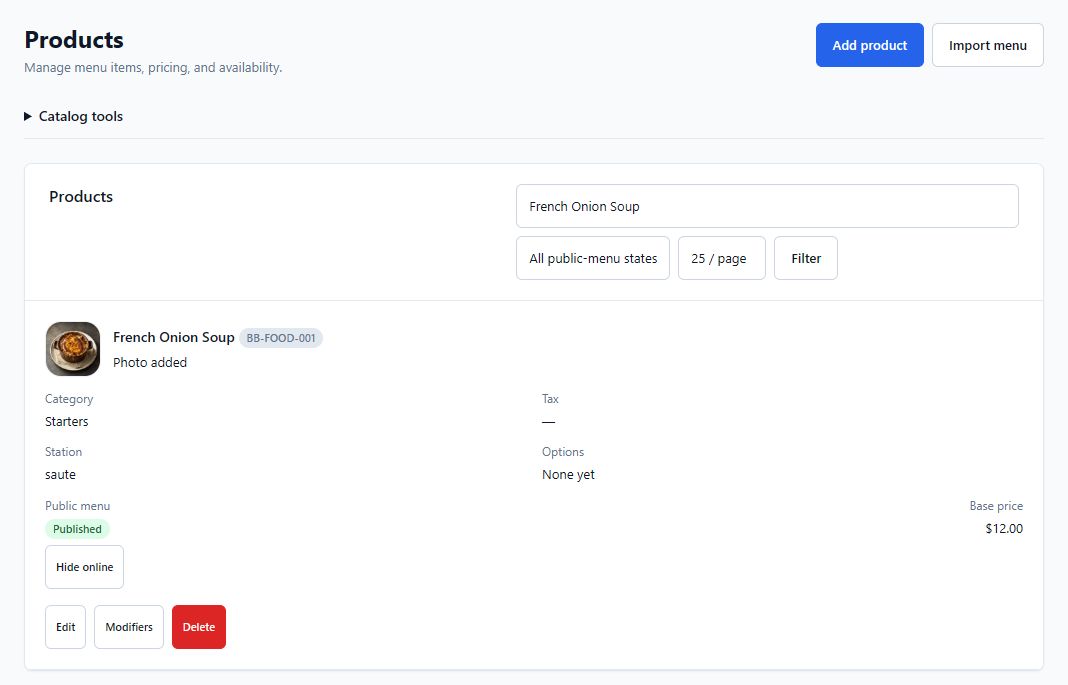
Handle split pay by seat, terminal-initiated payments, refunds, voids, receipts, manager PIN flow, and role-based access controls in the same operating layer.

Server checkout and payroll-ready closeout

Run server checkout, daily summaries, day packets, payroll export surfaces, sync health/status review, retry tools, cash movements, and reopen/finalize controls in one closeout path. The trust test is whether tip claim, cash handling, reopen logic, and payroll-ready review all point to the same source of truth.

Menu AI, catalog, and recipes

Import menus from documents or pasted text, review recipe-card fields before commit, build learned alias memory as the catalog is cleaned, connect ingredients to inventory, and use the staged Menu AI workflow to set up safely before phase-two depletion follow-through matters, including recipe details that can pop directly on KDS workstations.

Inventory, purchasing, and administration

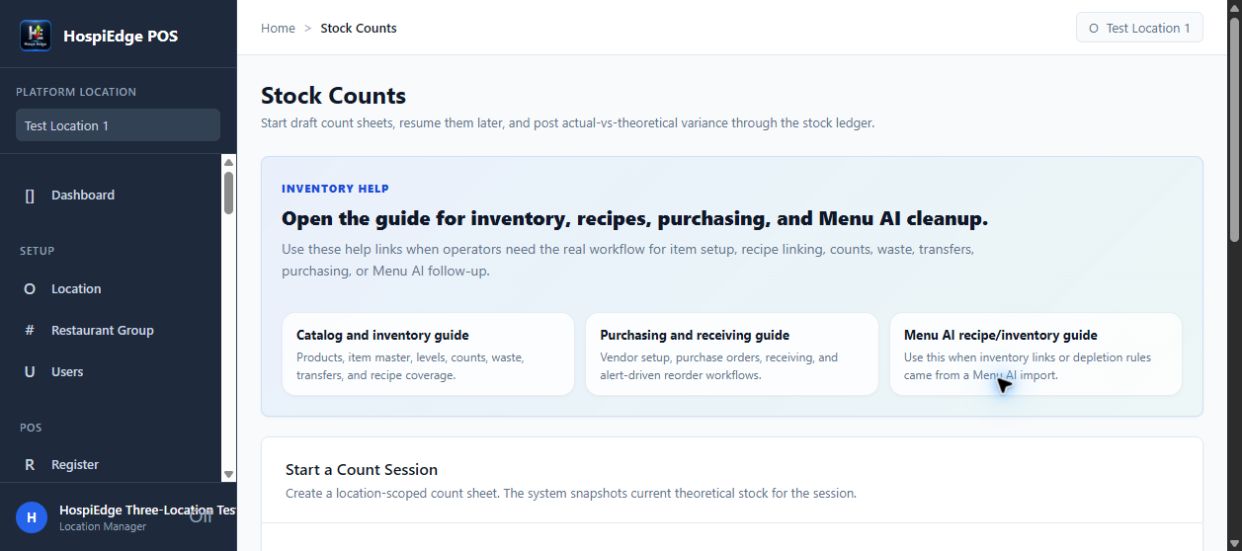
Track recipe-linked depletion, counts, waste, transfers, vendor items, purchase orders, receiving, and multi-location controls without leaving the broader platform context.

Depth inside the POS build

These layers show why the product behaves more like a service-control system than a lighter register-first POS.

Platform backbone

Multi-account, multi-group, multi-location setup, user access by location, secure login, SSO entry points, profile tools, and manager PIN support give the POS a real operating-system base.

Register and service flow

Shared-terminal sign-in, open and saved checks, recall, edit locking, send-to-kitchen controls, item holds, refires, voids, comps, returns, and remove actions keep the service path practical.

Kitchen, expo, and bar

KDS station, line, expo, pacing, setup, analytics, bar routing, BAR Ready Pickup views, and KDS recipe popups extend the workflow beyond a simple cash register.

Business day, cash, and payroll handoff

Start Day, End Day, reopen support, server checkout, cash movements, exports, corrections, printable day packets, payroll-ready reporting surfaces, sync-health review, and forced-close handling give leadership a tighter closeout process. Buyers should verify who can reopen, who can correct, and what the payroll handoff looks like before approving go-live.

Menu AI, inventory, and purchasing

Menu AI list import, full-chain import, recipe-card and ingredient review before commit, learned alias memory, phase-two recipe depletion, stock levels, counts, waste, transfers, reorder alerts, purchase orders, vendor items, and receiving help POS stay tied to product movement.

Integrations and auditability

Provider architecture, Stripe reader setup, queue and delivery tracking patterns, payroll sync visibility, retry tooling, and audit visibility make the system easier to trust during launch and review. Good buyers will ask what fails loudly, what can be retried, and what managers can verify without engineering help.

How POS connects to HETable without overlapping the front door

Keep the host-stand page focused on floor control and use the POS page to explain what happens after the table enters service.

Live floor context from HETable

The stack can use a live HETable plan as an alternate board source for Server Checks so servers can see table context without waiting on verbal updates from the host stand.

Front-of-house and POS stay distinct

HETable owns reservations, waitlist, and seating while POS owns ordering, production routing, payment control, and closeout.

Cleaner buyer explanation

This is easier to sell and easier to understand because POS extends the service path, not every front-door workflow by itself. That also makes demo ownership cleaner for hosts, servers, expo, bar, and managers.

How this POS position differs

This comparison helps the buyer decide whether they need a broader restaurant operating layer or a narrower register-first tool.

Decision point HospiEdge POS Basic register-first POS Generic multi-purpose POS
What it is built to manage Service flow, production routing, payments, Server Checkout, payroll-ready closeout, inventory impact, Menu AI setup, and multi-location controls in one restaurant operating layer. Register and payment workflow with lighter production and back-of-house depth. Broad retail or hospitality POS workflow that may need other tools to cover operations depth.
How it connects to the rest of the stack It sits next to Operations, Scheduling, HETable, HospiEdge Label with printer profiles, templates, print defaults, reprints, and compliance routines, plus a broader admin/integration layer inside the same platform narrative. Often relies on separate systems for scheduling, floor flow, or accountability. Can connect outward, but usually through a more fragmented vendor stack.
Best fit Restaurants that want POS evaluated as part of daily service, closeout, payroll-ready reporting, and operational control, not just as a cash register. Teams that mainly need simpler transaction handling. Teams comfortable stitching together multiple software layers.
Best next page /pricing/ when the next question is commercial path, /contact/ when launch ownership needs a named start, or the integrated platform guide when the question broadens into connected package fit. Usually a payments or hardware conversation. Usually an integration and vendor-stack comparison conversation.

Buyer checklist for the next POS review

Use these checks during the product review so the team evaluates the full service flow, not just the sale screen.

  • Use the demo to walk through an entire live-service flow: open checks, send to kitchen, manage bar pickup, handle a refire or void, close the check, run Server Checkout, and review the inventory effect.
  • Confirm whether the restaurant needs POS to stand alone or to fit inside a broader operations stack with table flow, scheduling, and accountability.
  • Check the role and manager-control model for voids, refunds, reroutes, refires, and protected service actions.
  • Review how Menu AI import-and-review checkpoints, recipe depletion, counts, purchasing, and receiving are expected to connect to the live POS workflow, and who signs off before phase-two depletion is trusted.
  • Use Pricing after the product review to confirm whether the team should enter through standalone POS or the broader platform path, then use Contact if the next job is naming the first location, first station set, and first closeout owner.

Implementation path

Most launches move faster when they stabilize dining-room and kitchen flow first, then lock in checkout and control surfaces, and only then expand into catalog, inventory, and multi-location depth.

1. Define the first service station set

Choose the terminals, service stations, and routing logic that need to go live first, then assign ownership for register setup, kitchen routing, and bar pickup verification.

2. Map production paths

Confirm kitchen, expo, and bar views before pushing the system into peak service, including who can bump, reroute, refire, and review recipe popups on each station.

3. Lock in closeout and controls

Set manager permissions, Server Checkout expectations, payroll-ready exports, and cash controls once service flow is stable, then test reopen and correction scenarios before go-live.

4. Expand setup and launch

After the first location is stable, use Menu AI import-and-review passes, learned alias memory, recipe/inventory review, and the shared operating model to bring additional units onto the same path with cleaner first-week audits.

Pricing and access

This section is for the commercial decision after product fit is clear: buy POS alone at $349/month, or use HospiEdge Platform launch pricing when POS is part of the broader connected launch. Use Contact next when the team needs launch ownership or rollout planning, and keep guide depth for broader package questions only.

Standalone

POS only

$349/mo

Standalone POS when you want to start with register, Server Checks, KDS stations, expo, bar routing, bar pickup, Server Checkout, and production routing first.

Open POS

Need launch review too?

Use Contact when the workflow fit is clear and the next job is naming rollout ownership, first-location sequencing, or launch questions.

Talk with HospiEdge

Related product pages

These are the most logical next pages when the POS review genuinely needs floor context, label workflow, accounting follow-through, or broader guide depth.

POS FAQ

Direct answers for operators evaluating POS as the service, sales, tender, cash, and business-day truth inside a broader restaurant platform stack.

What does the HospiEdge POS handle today?

It handles restaurant register workflow, Server Checks, kitchen/expo/bar routing, payments, Server Checkout, business-day closeout, payroll-ready reporting surfaces, inventory-linked depletion, purchasing-related follow-through, staged Menu AI setup help with review-before-commit, and multi-location control patterns.

Is this POS tied to live table service?

Yes. Table-linked checks, floor context, Server Checks, and routing choices are part of the current product direction.

How should a buyer evaluate this POS page?

Evaluate it as a commercial product page for live service, closeout, and operational control. The review should cover a full shift path: open checks, send to kitchen, route to bar, handle an exception, complete Server Checkout, and verify the payroll-ready closeout view before deciding on standalone POS at $349/month or the broader HospiEdge Platform path.

How does POS connect to HETable?

HETable stays focused on reservations, waitlist, sections, and the live floor, while POS extends the workflow into Server Checks, kitchen routing, bar pickup, payment, and closeout.

How does Menu AI fit the POS story?

Menu AI speeds up catalog and recipe setup by importing menus, previewing structured data and recipe-card fields before commit, learning aliases as operators clean the catalog, helping teams connect ingredients to inventory without forcing everything into one risky AI pass, and supporting recipe details that can pop on KDS workstations during execution.

What should a team review after the POS page?

Most teams go next to Pricing when the buying path is the next question, Contact when launch ownership needs a named start, or the integrated platform guide when the question broadens into connected package fit.

POS workflow preview

Show the live service workflow the way operators actually experience it.

This visual proof layer keeps the page grounded in the shift itself: checks, routing, payments, and closeout all show up as one operating path.

HospiEdge POS service view
Checks stay organized Kitchen and bar routing stay visible Closeout and reporting stay grounded
Operator view

Service control stays visible

The proof layer shows checks, routing, payments, and closeout as one live shift workflow instead of separate feature buckets.

Connected layer

Guide depth stays optional

The page keeps broader package review in reserve until the service-flow fit is already clear.

Next move

Review pricing or launch planning

Teams can jump into commercial or rollout review only after the live service path feels right.

Service control

The register flow should keep open checks, item status, and operator actions visible during service.

A strong POS page should feel like live shift execution, not a generic terminal list.

  • Open and resume checks cleanly.
  • Keep operator actions visible.
  • See service progress without leaving the flow.
Production and closeout

Orders, production routing, payments, and closeout should belong to one connected system.

The value is not just ringing sales but controlling how the shift gets completed and reported.

  • Route items to kitchen or bar.
  • Track payment and closeout flow.
  • Keep reporting and accountability tied to the shift.

Before you continue

  • Whether live service execution is the main pressure.
  • Whether the next honest owner is Pricing, Contact, or guide depth.
  • Which team will own launch review once the service path is approved.

Implementation path

  1. Validate check flow, routing, and closeout truth first.
  2. Use Pricing only if the buying path is already clear.
  3. Use Contact for rollout review, and open guide depth only when the question broadens into connected package fit.
POS review path

How to review POS without losing the service-flow context that makes it matter.

Use this page for live-service proof: register flow, business day, Server Checks, KDS stations, expo, bar routing, server checkout, and closeout control. Bring in Pricing, Contact, or guide depth only after the core POS fit is established.

Best fit

This page fits restaurants that need tighter register control, open check handling, production routing, Server Checkout, or service visibility across shifts and locations.

Verify next

Open Pricing when product fit is already clear and the team needs the commercial route, Contact when launch ownership needs a named start, or the integrated platform guide when the question broadens into connected package fit.

Menu AI and inventory

Review Menu AI import-and-review checkpoints, recipe setup, and depletion expectations when faster catalog setup and inventory follow-through matter as much as checkout speed.

Keep the sequence practical

The fastest POS review validates service flow first, then adds surrounding modules only where the launch truly requires them.

Recommended sequence

  1. Review the live-service and production-routing sections first.
  2. Open guide depth only if the question broadens into connected package fit or the team needs more context before the buying path is clear.
  3. Use Pricing once the team knows whether POS is standalone or part of a larger stack decision.
  4. Use Contact when the next step is launch planning, first-location ownership, or rollout review.
  5. Keep related product pages optional unless the launch genuinely expands into floor flow, labeling, or accounting follow-through.
POS buyer clarity

POS is strongest when buyers can see the live-service layer, the closeout layer, and the platform value at the same time.

Verify live-service proof first, then leave this page only for Pricing, launch review, or guide depth when one of those questions genuinely becomes the next owner.

Published commercial model

The HospiEdge platform account is the unlock layer, the 1, 3, and 10 account plans are visible publicly, standalone app pricing is published, and Agent stays separate as a premium lane above active bundle apps.

Live routes under one operating model

Ops, Schedule, HETable, POS with Server Checkout, Label, Menu AI, and Training & Reader inside Ops are presented as connected layers of one restaurant operating system, while the HETable buyer page, guest-facing Public Reservations path, Hospi Jobs buyer page, and public jobs network stay clearly split from operator routes.

Visible leadership and direct accountability

HospiEdge keeps the founder-led and family-run company story visible so buyers can connect the software path to named leadership, direct contact, and a clear point of view instead of a faceless shell.

AI and training stay inside the platform story

AI is included in every platform plan, and Training & Reader inside Ops stay tied to execution, standards, and launch support instead of being held back as disconnected extras.

Buyer checklist

  • Start with Pricing when the real decision is platform bundle versus standalone spend, then move into app pages when you need workflow-fit proof.
  • Keep HETable buyer review, Public Reservations, Hospi Jobs, and live operator app routes separate so the next click matches the real job.
  • Use About or Contact when you want to verify who leads the company and how launch and implementation stays direct.
  • Use Resources or Engineering when you want workflow depth, architecture proof, or modernization context.
  • Keep the same email address across HospiEdge accounts when linked access matters.