
Start with approved item data and date rules
Confirm the item, location, approved date rule, allergen text, stock or prep context, and template version before opening the print path. AI-assisted import can prepare a review queue, but an operator approves the item data and the rule used on the label. Never infer a safe storage period from a generic example.
Build, preview, and route the label
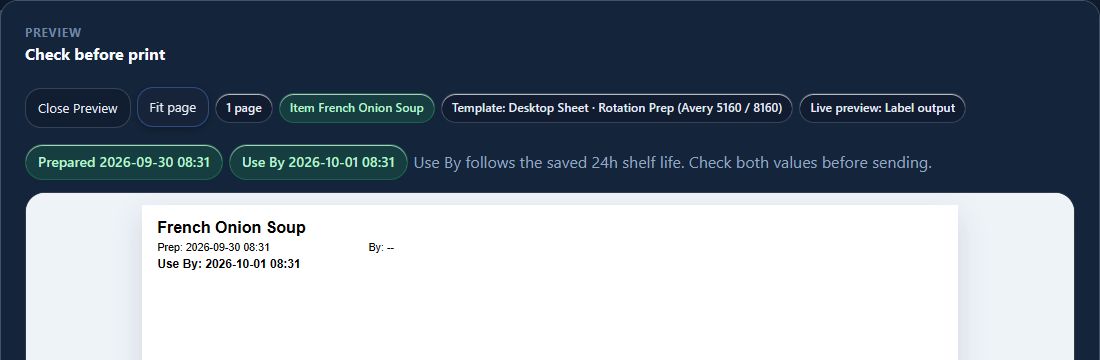
Choose the reviewed template, preview the exact text and barcode, select the configured station or printer path, and confirm the media dimensions. Existing HospiEdge paths include configurable Brother workflows and Zebra-compatible ZPL output; that is a configured path, not universal support for every model, driver, network, or stock.
Validate one sample before the shift
Illustrative label only—not a verified physical print: Item: [approved item name]. Prepared: [recorded date and time]. Use by: [approved rule result]. Allergens: [verified item data]. Station: [configured station]. Before live use, check the actual sample for readable text, barcode, alignment, darkness, cut behavior, media size, and the correct template at every required station.
Keep history and reprints accountable
A reviewed reprint should point back to the approved prior output, item record, template version, station, reason, and person who approved it. If a label is clipped, stale, misrouted, or unreadable, pause the workflow, correct the configured path, and keep the failed sample out of service.
Kitchen setup checklist
Confirm exact printer model and connection, driver or ZPL path, media dimensions, item and allergen source, date-rule owner, template reviewer, station mapping, sample sign-off, history access, reprint reason, and offline fallback. A label workflow supports preparation and review; it is not a regulatory certification.
Where Label AI fits
HE Label AI supports reviewed item setup, templates, stock packs, print-board control, station routing, and exact reprints. Review the current Label AI package and pricing, then request a walkthrough to validate the restaurant’s specific hardware and sample-output process.
 View full size ↗