Buyer Guide

Restaurant Waitlist Software for Faster Seating

Use this guide when the buying question is queue control: quoting waits credibly, absorbing walk-ins and kiosk arrivals without losing context, and handing ready parties into service cleanly once the room gets busy.

  • Live-service focus: waitlist tools matter most when quote edits, walk-in pacing, and the seat-ready handoff all have to stay visible under demand spikes.
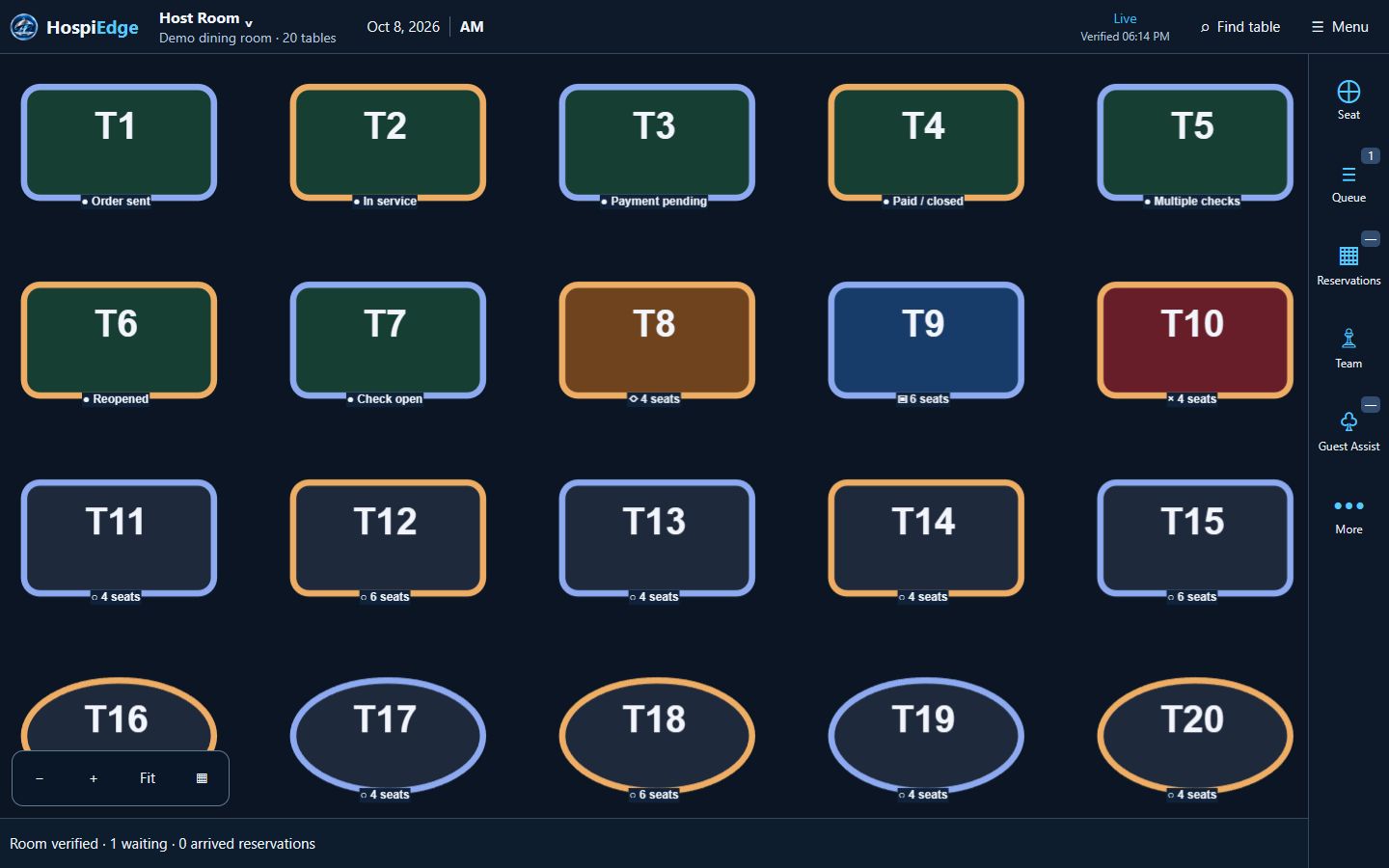
  • HETable angle: in HospiEdge, waitlist workflows live inside HETable and stay tied to reservations manager flow, the public reservations directory, live wait-board visibility, self-seat or kiosk entry, and the seat-ready handoff into service.
  • Buyer use: define queue-control requirements here first, move to the HETable buyer page once the category fit is settled, use Pricing when the next question is commercial fit, and use Contact when the next question is rollout review.
  • Demo checkpoint: verify quote edits, stale-entry cleanup, no-show handling, guest notifications, queue history visibility, and the seat-ready handoff.
Live app routes

Open the live apps directly when you already know the workflow

Already know the workflow you want to review? Open the live app directly, keep the same work email across connected accounts, and add HospiEdge Agent only when leadership wants one cross-app command center above the stack. If the buying decision is still open, price the platform first and use Apps for workflow-fit review.

For guest-facing HETable discovery and booking, use Public Reservations. For public hiring traffic, use Hospi Jobs. Use hetable.com only when you want to review the live host-stand app itself.

Where waitlist software fits in the platform

Digital waitlists should be evaluated as queue-control systems, not digital name lists. The category matters most when quote quality, room state, and the handoff into live service all affect the guest experience.

HETable runs queue control

Wait quotes, notifications, reservations manager flow, live wait board state, self-seat or kiosk entry, and seating all stay closer together when the waitlist is part of the same front-of-house workflow instead of being isolated from live service decisions.

Connected systems reduce guesswork

Scheduling can sharpen staffing readiness, and the wider platform can keep the waitlist tied to the real service moment instead of treating it as a disconnected host tool.

The platform bundle sharpens the value

HospiEdge Platform launch pricing starts at $279/month or $2,899/year for 1 account, then scales to $749/month or $7,799/year for 3 accounts and $2,190/month or $22,999/year for 10 accounts, with AI included in every plan. Standalone HETable is $249/month, so the bundle stays the stronger value once more than one app is part of the operating lane.

Who this is for

This guide is for buyers defining queue-control requirements first: wait quotes, seating handoffs, self-seat entry, and the transition from the host board into live service during rush periods. Stay here until the queue-control brief is clear, then move to HETable, Pricing, or rollout review only when that becomes the real next question.

Hosts managing high walk-in volume

Reduce line confusion with clear queue order, time stamps, shared notes, and enough history for the next host or manager to recover quickly.

Managers balancing sections

Use live waitlist demand to pace seating across teams more evenly and avoid a messy handoff once a table is ready.

Operators replacing whiteboards

Move from manual lists to consistent digital service workflows.

What problems restaurant waitlist software solves

Buyers usually prioritize this category when queues are hard to manage and quote quality drops during rushes.

Unreliable wait quotes

Move from rough estimates to quotes based on live table, turn, and floor context, then review quote misses after service to improve the next shift.

Queue visibility gaps

Keep one queue state visible to hosts, managers, and support staff.

Proof points in a restaurant waitlist workflow

Good restaurant waitlist software should prove the full queue lifecycle, not only guest names. Buyers should be able to watch each state change and know who owns it.

1. Capture demand accurately

Track party size, preferences, arrival time, and special notes to keep the queue clean from the start and reduce verbal-only follow-up.

2. Quote from live floor status

Use active table and turn context instead of static estimates.

3. Notify guests with timing context

Send ready notifications, keep the live wait board current, and preserve a clear state for waiting, notified, and seated parties.

4. Seat with section awareness

Avoid overloading one team by tying queue moves to section pacing, suggested seating, and actual room readiness.

Live demo checks for restaurant waitlist software

Use these checks before selecting a platform and before trusting the queue on a busy shift. If the demo can prove them cleanly, the next move is usually HETable workflow review, Pricing, or a rollout conversation.

Core capabilities

  • Can hosts manage walk-ins, reservations, and self-seat/kiosk arrivals in one queue without losing quote history?
  • Does the system show live table state while quoting waits?
  • Can staff send guest notifications without extra tools and keep the live wait board updated when guests are ready to seat?
  • Is queue history visible for shift handoffs?

Implementation considerations

  • Define quote-time standards and guest-communication rules before launch.
  • Map section rules and escalation logic for peaks.
  • Train hosts on how to resolve no-shows, stale queue entries, and quote changes without losing history.
  • Track quote accuracy, time-to-seat, live wait board accuracy, handoff quality, and stale-entry cleanup patterns for first-month tuning.

FAQ

Common waitlist software questions from operators.

What should restaurant waitlist software do during peak hours?

It should track queue position, estimate waits from live floor status, support staff notes, make it easy to notify guests without losing place history, and keep the host board aligned with real service capacity. Buyers should also ask how stale waits, no-shows, and quote changes are handled on shift.

Can waitlist software work with reservations in the same flow?

Yes. The most practical setup uses one queue for reservations and walk-ins so hosts can quote accurately and seat based on live capacity.

How do operators measure whether a waitlist process improved?

Teams usually track quote accuracy, time-to-seat, abandoned waits, section balance during rush periods, whether the host-to-service handoff stays clean, and how often staff have to leave the system for manual follow-up.

When is it worth upgrading from a manual list?

If hosts regularly lose queue context, overquote waits, or struggle to coordinate with reservations, a digital waitlist workflow usually pays off quickly.